- How to renew Documents
- To renew a document, you will need the latest copy of the document you wish to upload.
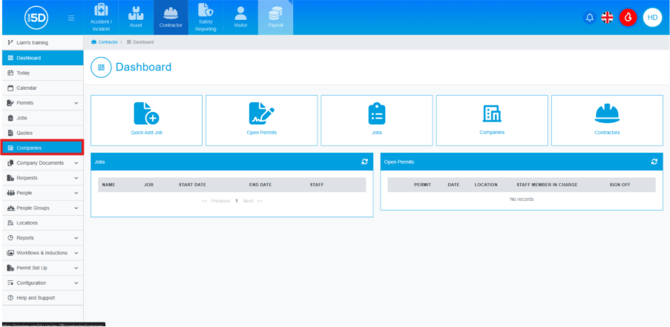
- Click ‘Companies’ on the left-hand navigation panel.
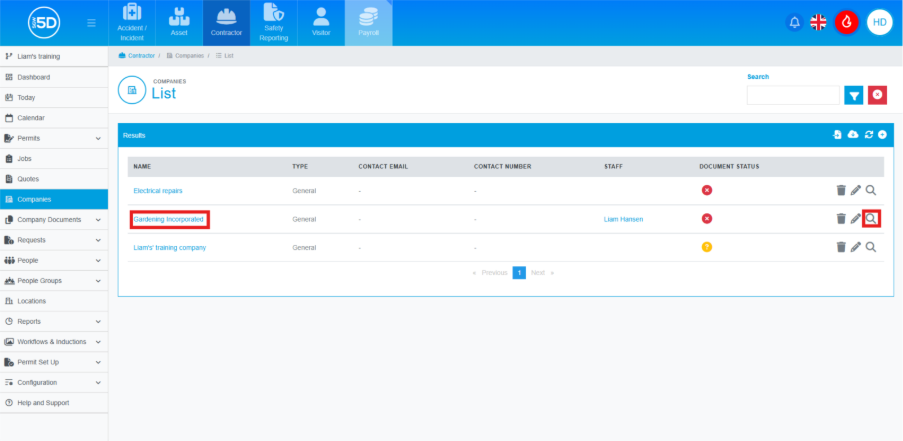
- This will take you to the companies list. This page displays all companies along with some details about them. To renew a document, click the name of the company or the magnifying glass.
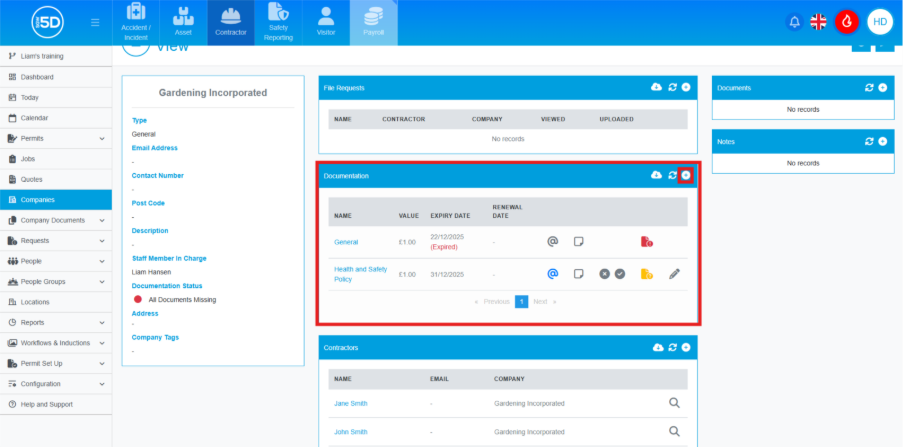
- Scroll down the company page until you see the section labelled ‘Documentation’, then click the plus symbol in the top right.
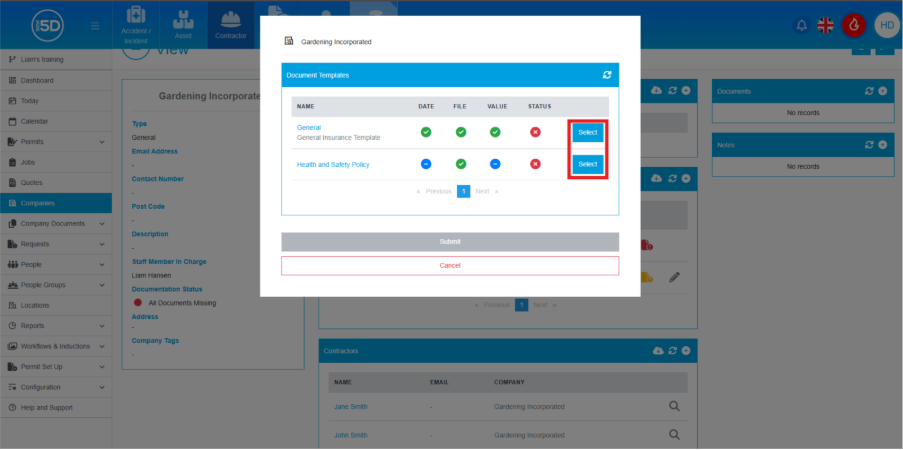
- An overlay will appear on the screen asking which document you want to update; click the ‘Select’ button.
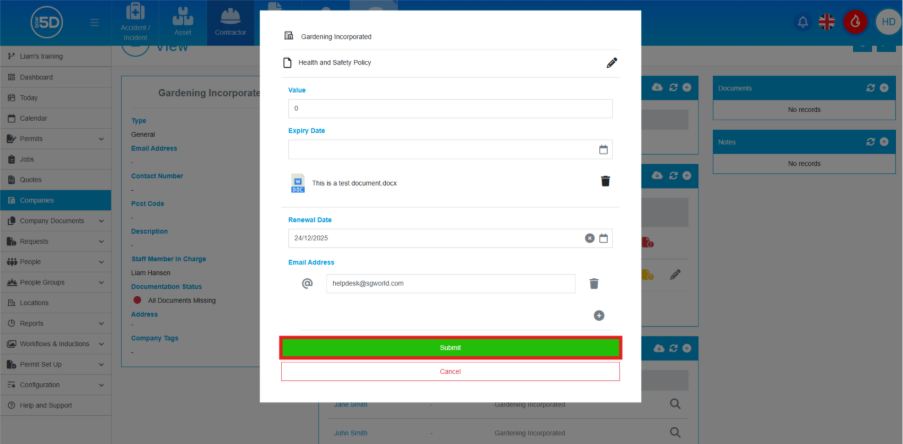
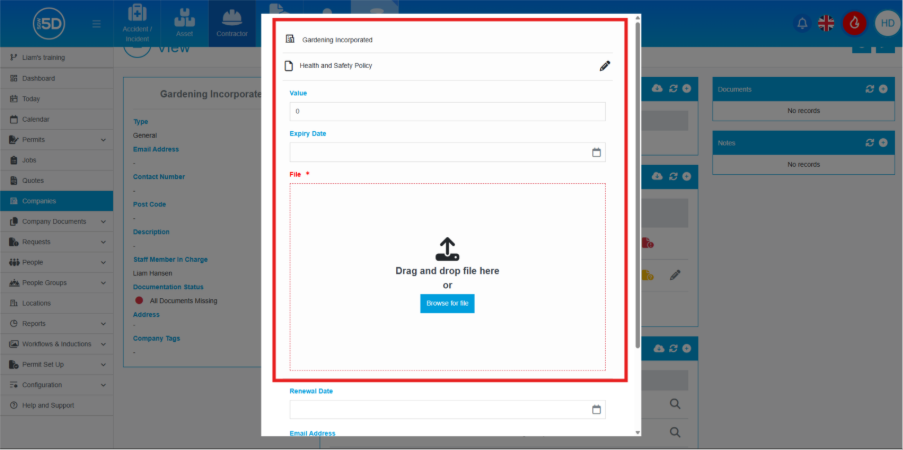
- Here you can start filling in details of the document, such as the value, description, and attach a file if required.
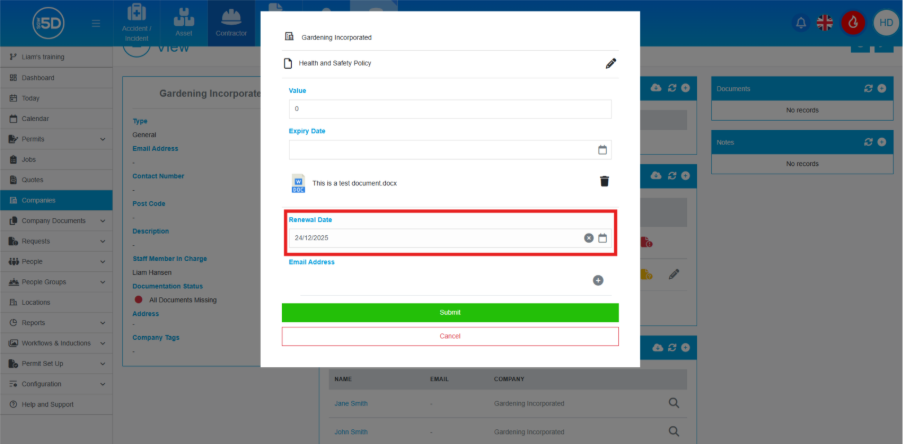
- Below where the file is attached, you can add a renewal date. This will automatically send out a request for a new file on the renewal date.
- Below that is the email address that the renewal request will be sent to.
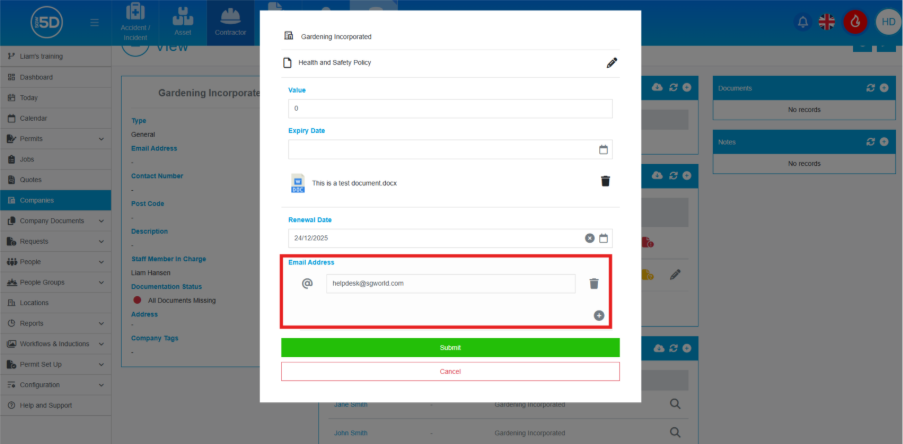
- When finished, click ‘Submit’.