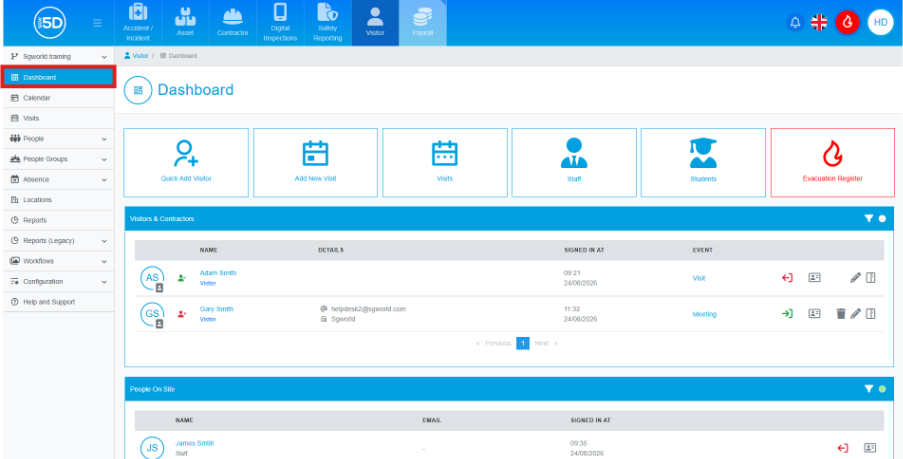
- There are two ways to quickly remove a visitor from an event. First, navigate to the Visitor module and ensure you are on the dashboard.
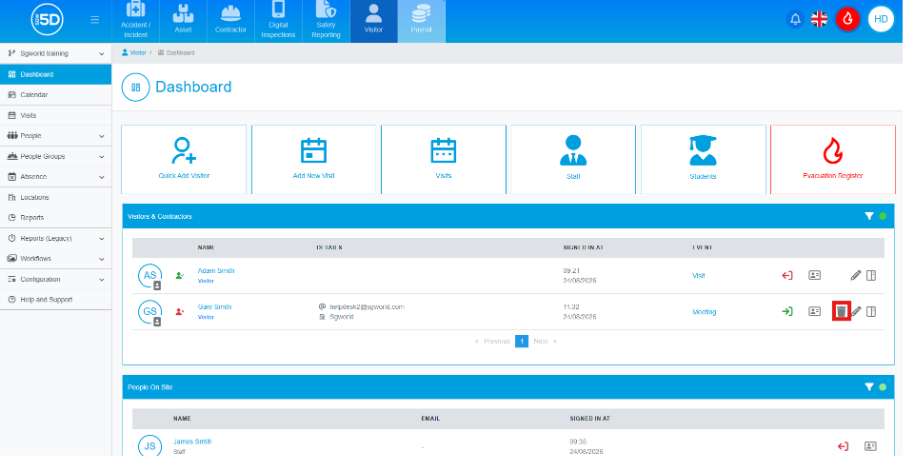
- A bin icon will be displayed next to all expected visitors. This icon will not appear for visitors who have already signed in. Click the bin icon to remove the visitor from the event.
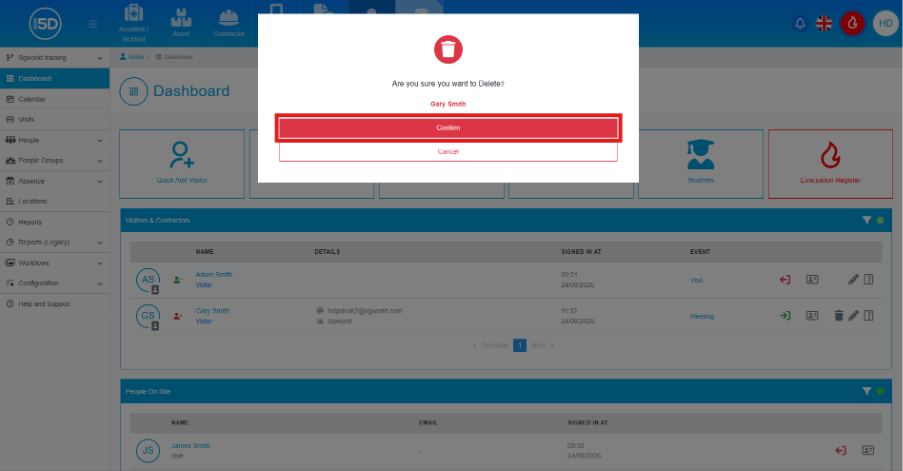
- An overlay will appear asking you to confirm the removal. Clicking Confirm will remove the visitor from the event.
- Removing someone from the dashboard will only remove a visitor who is scheduled to sign in today. If you want to remove someone whose visit is scheduled for a future date, use the left-hand navigation panel and click Visits.
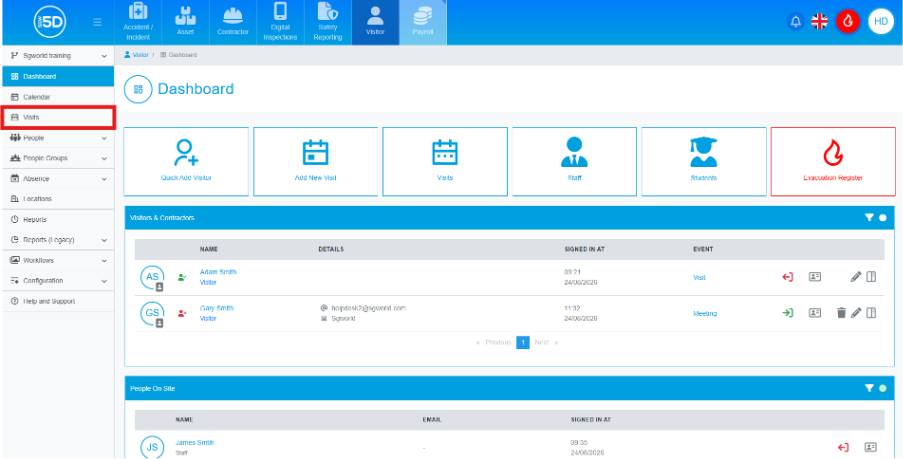
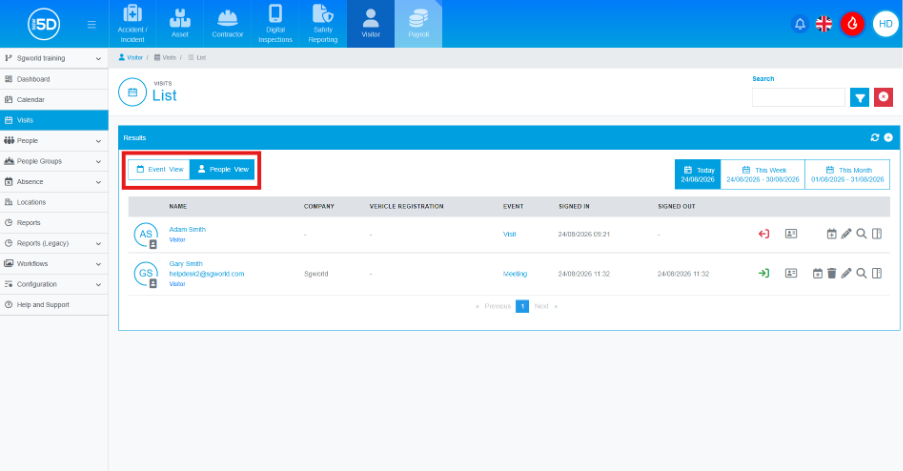
- From the Visits view, ensure that you are on the People view, which can be found in the top-right corner of the results panel.
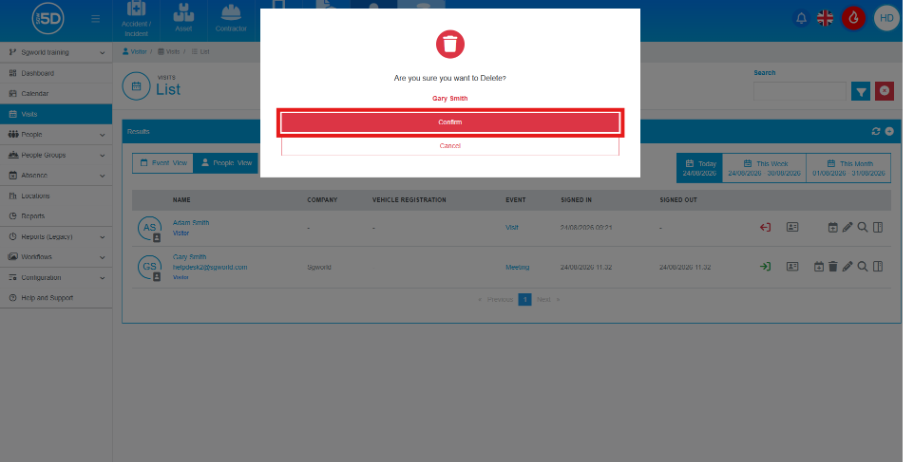
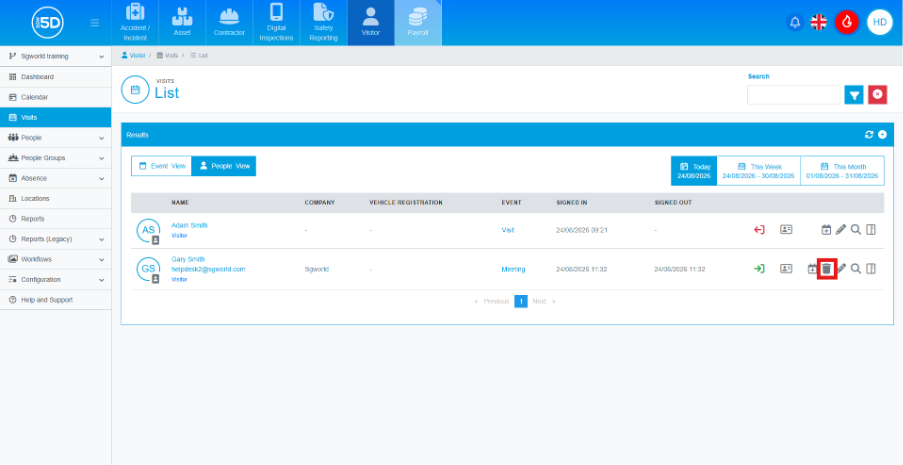
- You will then be able to click the bin icon and remove that person from the list.
- An overlay will appear asking you to confirm the removal of the visitor from the event. Click Confirm to finalise the removal.