
-
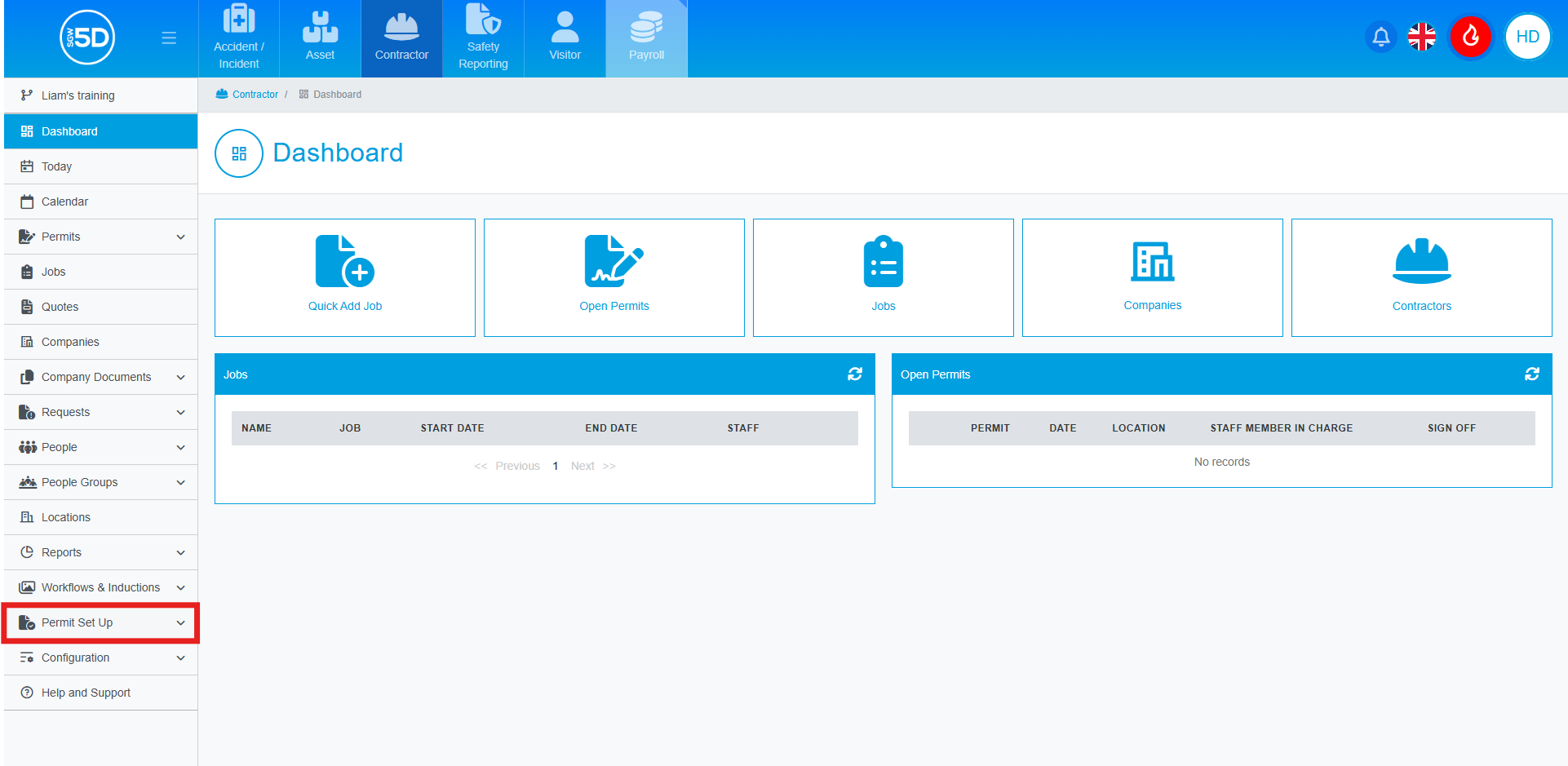
- From the Contractor module, click ‘Permit Set Up’.
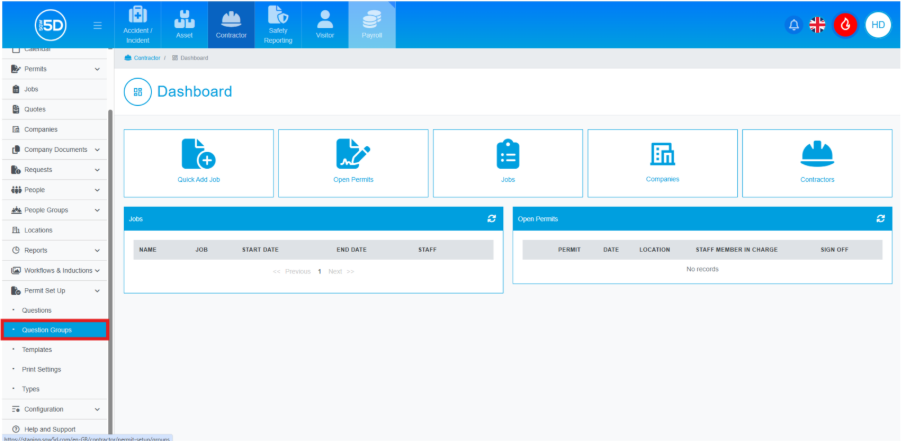
- From the dropdown menu, click ‘Question Groups’.
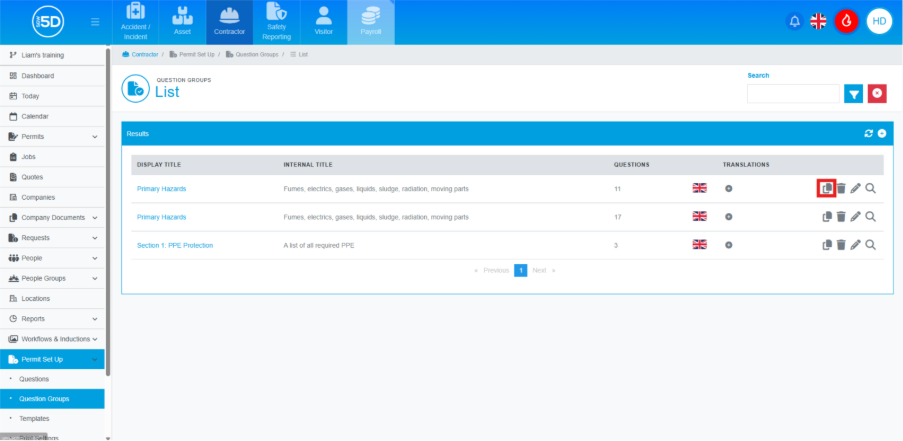
- This will take you to a list of all your permit groups. To clone a question group, find the group you wish to clone and click the clone button, indicated by two overlapping pages.
- You can now change the details of the cloned group, such as ‘Display Name’ and ‘Internal Title’.
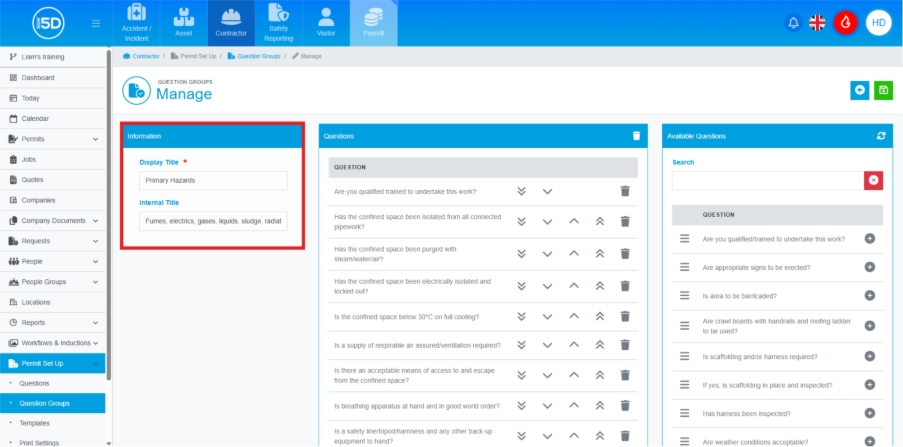
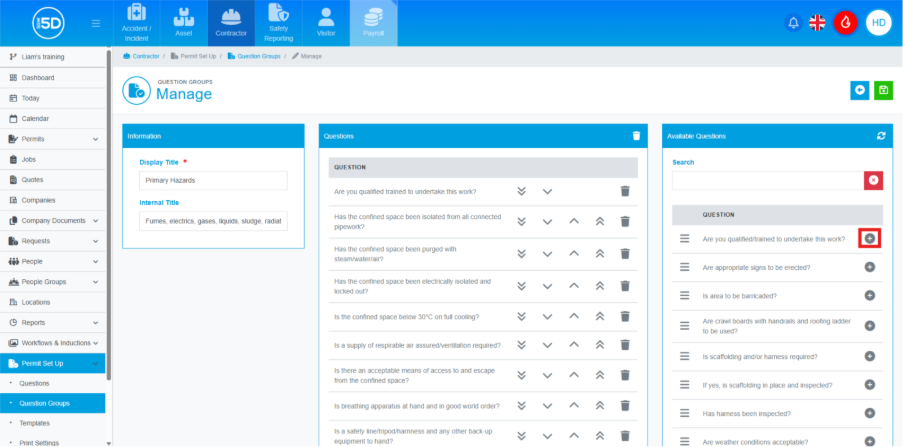
- You can also add questions using the ‘Available Questions’ box on the right. Click the ‘plus symbol’ next to the question you want to add.
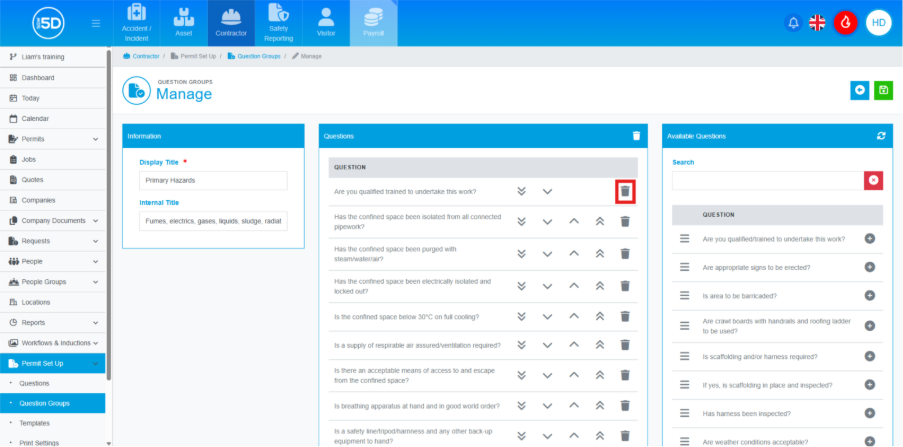
- You can remove questions by clicking the recycle bin icon in the middle 'Questions' box.
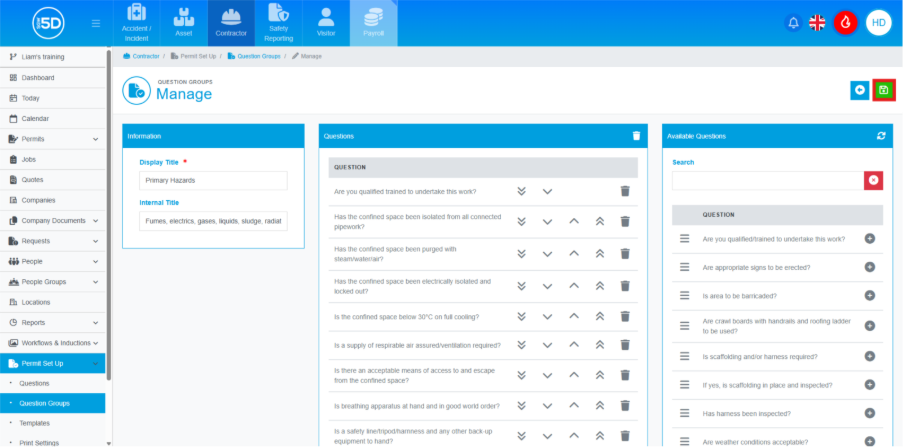
- To save any changes and finalise the group, click the green save icon in the top right.
- From the Contractor module, click ‘Permit Set Up’.