
-
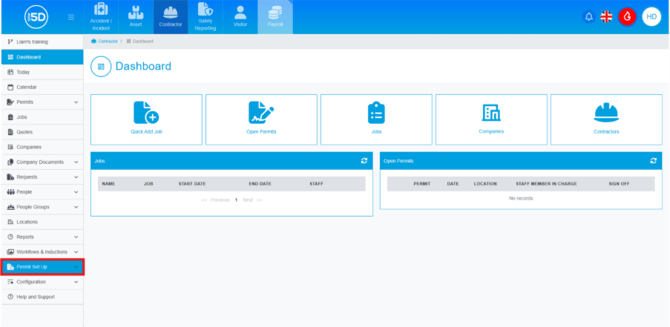
- From anywhere in the Contractor module, use the left-hand navigation panel and click ‘Permit Set Up’.
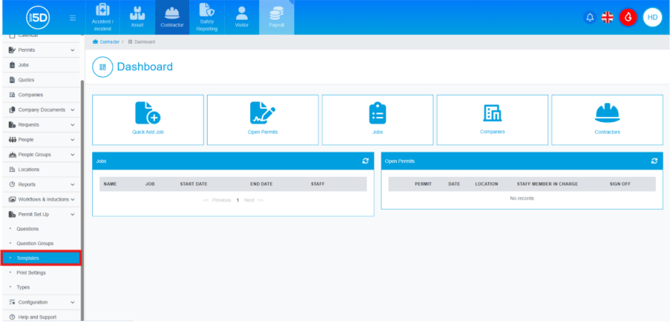
- Then click ‘Templates’.
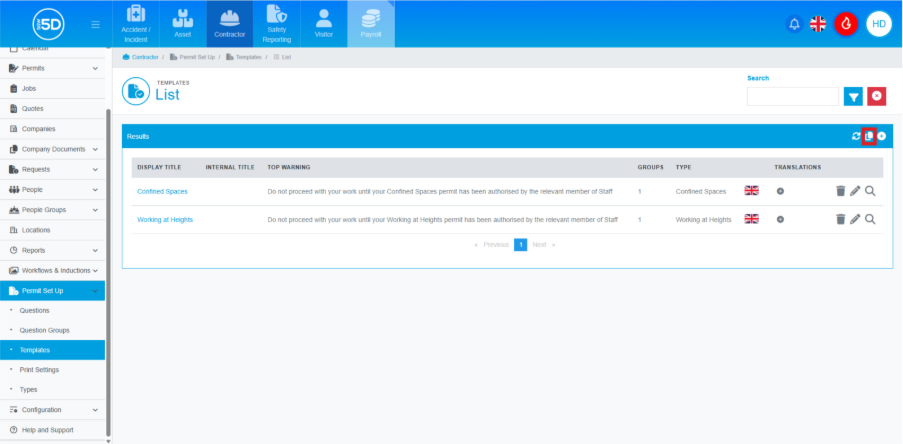
- This will open a list of currently created permit templates. To add a system permit, click the page symbol in the top right corner.
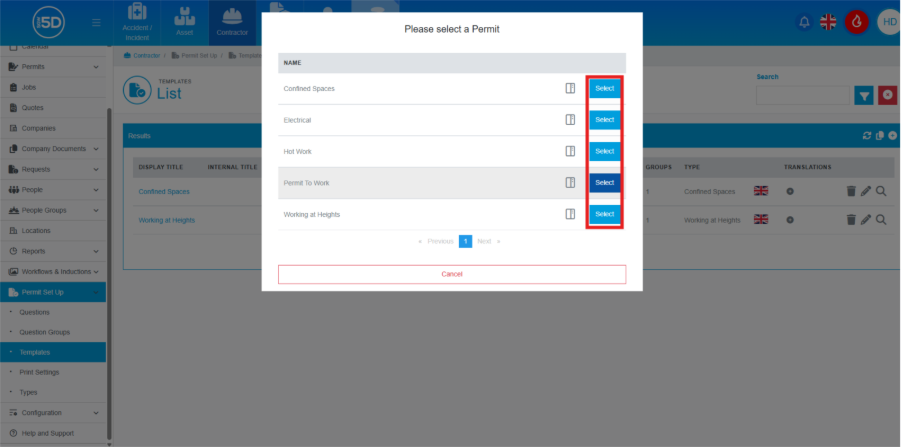
- An overlay will appear with a list of all currently loaded system permits. Click the ‘Select’ button.
- You will then be asked to confirm the language for the permit. Click ‘Submit’ to add the permit.
N.b. Depending on your region, you may have different language options available.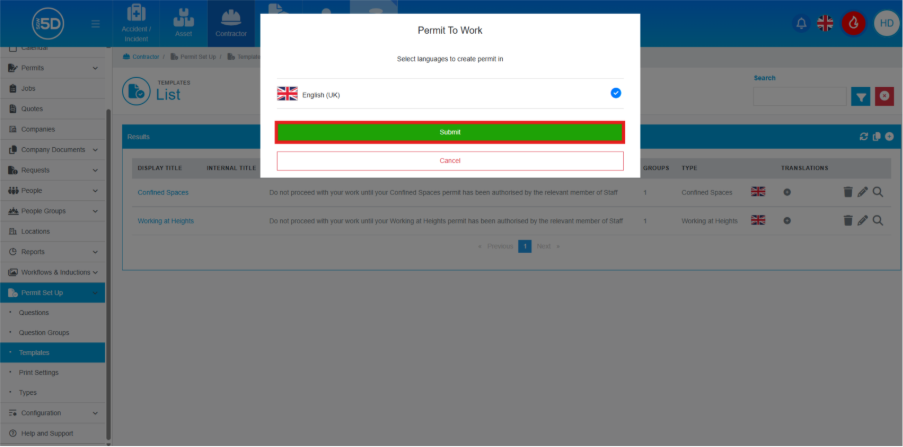
- From anywhere in the Contractor module, use the left-hand navigation panel and click ‘Permit Set Up’.