
- Change to records: Added By/ Modified By
- We have implemented a change to the record information cards. They will now display an ‘Added By’ and a ‘Last Modified By’ section.
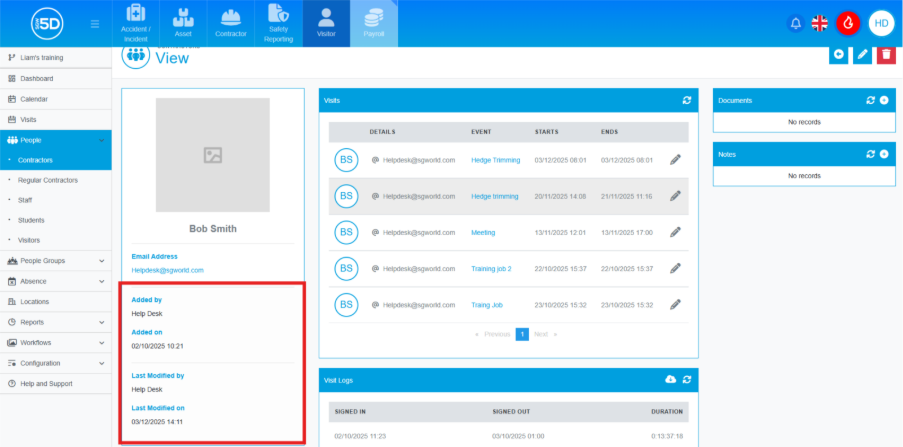
- ‘Added By’ – shows the person who created the record.
- ‘Last Modified By’ – shows the last person who edited the record.
- This applies to any record types under the People section of any of the 5D modules. It also includes items in the 0 module.
- How to view this Information
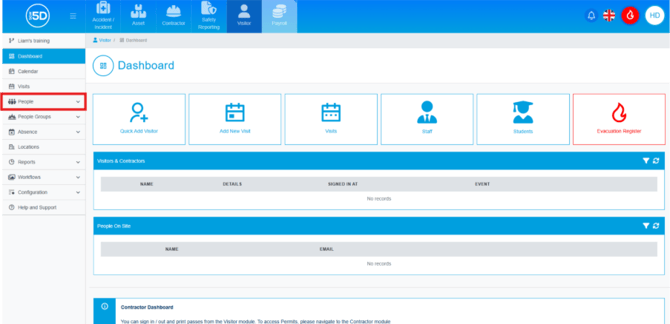
- To view this information, start by clicking the ‘People’ tab on the left-hand navigation panel. If you wish to view an asset, click ‘Inventory’ in the Asset module.
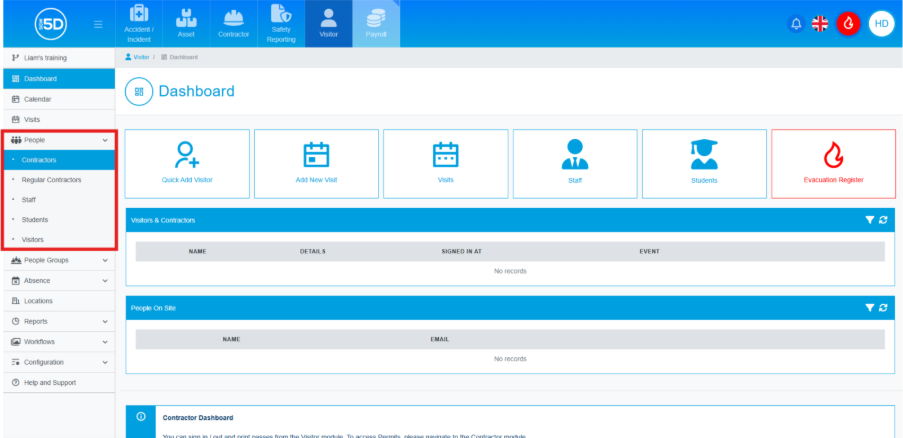
- Next, choose the record type. N.B.: This is the same across all record types. Click ‘Items’ for Assets.
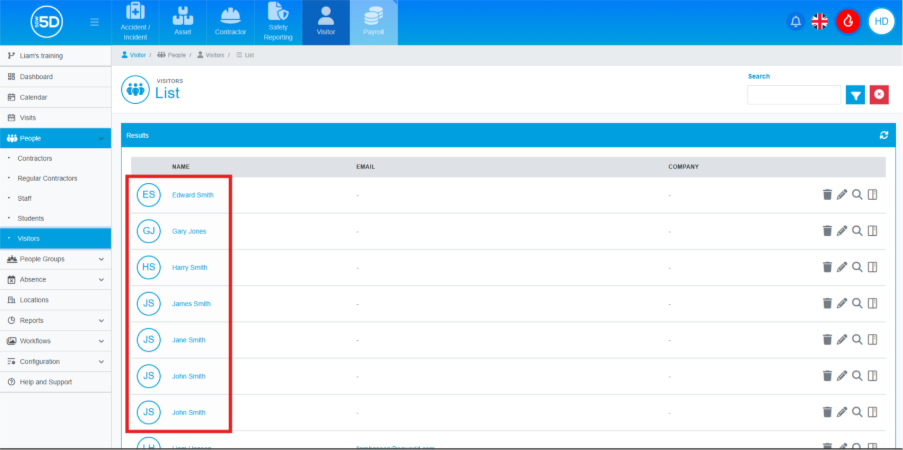
- In the list view of all record types, click on the name of the record you wish to view.
- On the record overview page, scroll down. In the box on the left, you should see the ‘Added By’ and ‘Modified By’ sections. These will show the name and time of the person who added or modified the record.
- To view this information, start by clicking the ‘People’ tab on the left-hand navigation panel. If you wish to view an asset, click ‘Inventory’ in the Asset module.